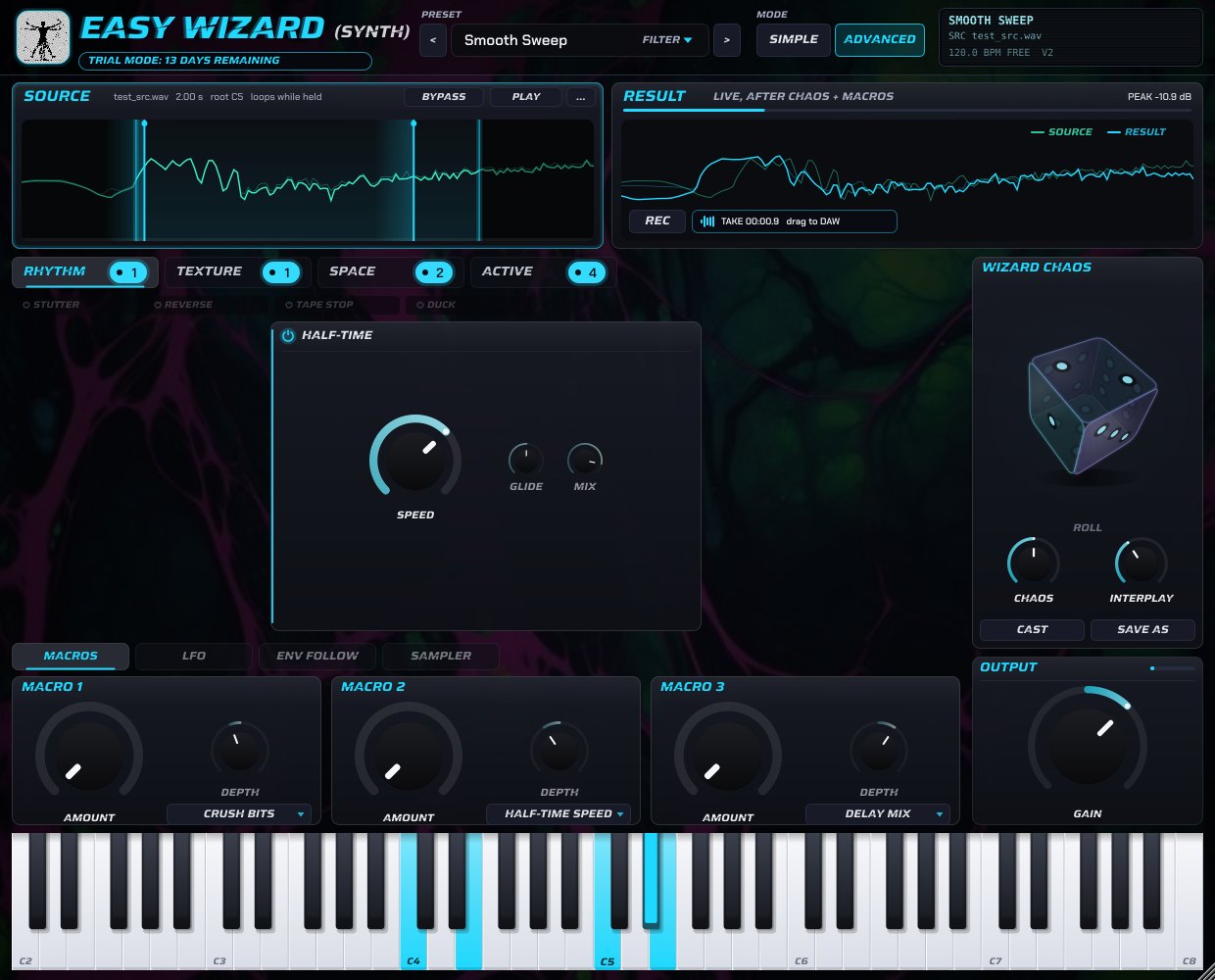
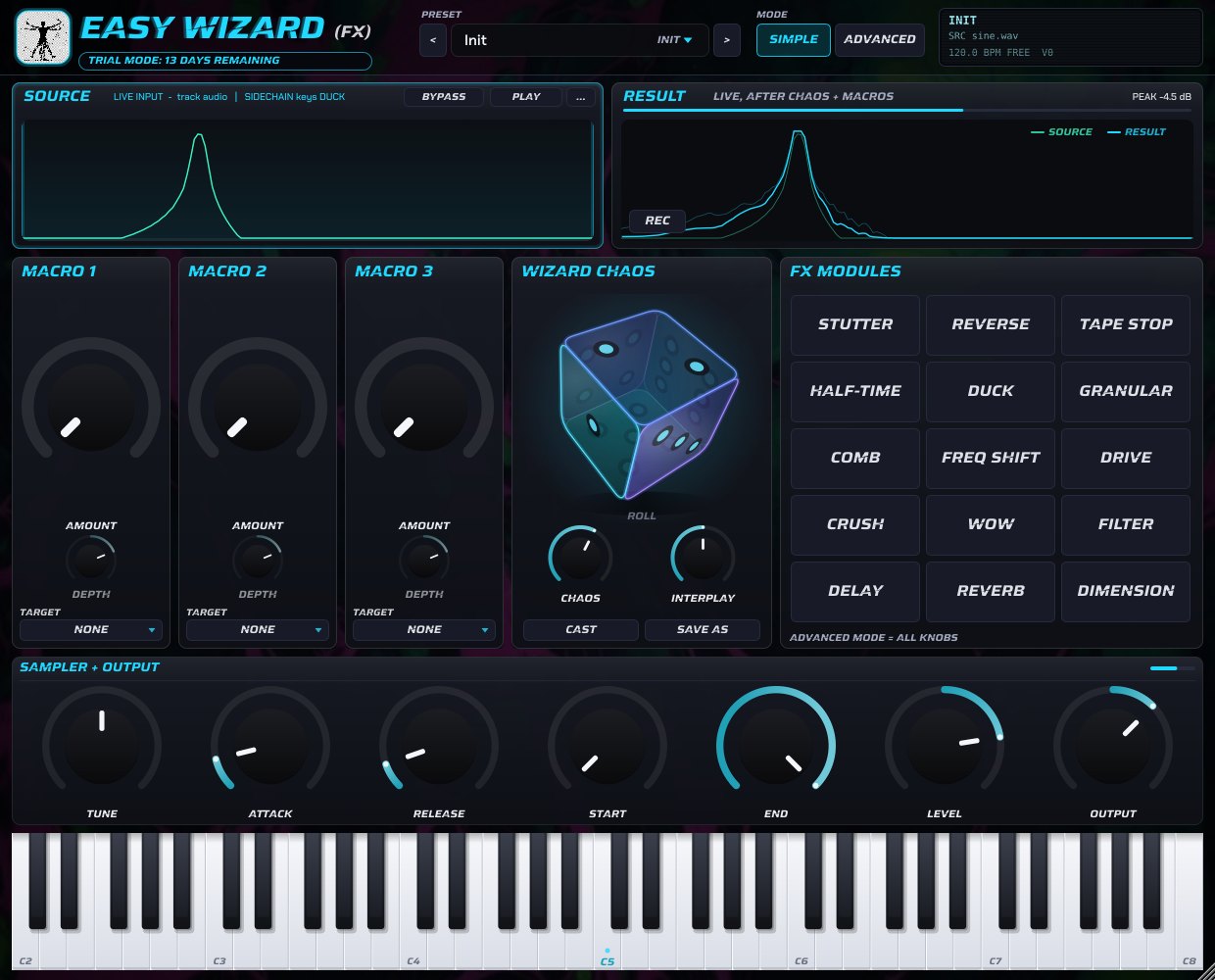
Every knob, macro and preset change is smoothed inside the audio engine, so you can perform with it live.
Pristine DSP, zero clicks
Full parameter smoothing on every control: turn knobs, switch modules, move macros or jump between presets without clicks, zipper noise or volume jumps. Modules fade in and out instead of switching hard, and an automatic gain stage keeps presets at a consistent level.
Smoothed knobs, macros and modulation
Click-free module on/off and preset changes
Auto-gain against sudden loudness jumps
Click to roll
Wizard Chaos cube
One click on the 3D cube rolls a new combination of modules and settings, instantly and from the very first click. Chaos sets how wild it gets, Interplay how the modules work together. Love a result? Save As keeps it as your own preset.
LFO, Envelope Follower & Macros
A tempo-synced LFO and an envelope follower can drive any module parameter. Three macros, each with its own target and depth, put the moves you need under one knob — perfect for automation.
Synth loads any sample and plays it with MIDI through the whole engine. Fx sits on any track and processes its audio in real time, and a sidechain input can drive the Duck module.
VST3 & AU, Win & Mac
VST3 for Windows and macOS, Audio Unit for Logic Pro and GarageBand, plus a standalone app on Windows. Native on Apple Silicon (M1–M4) and Intel Macs as a Universal Binary.
Free demo
Try everything for 14 days
The demo is the full plug-in: every module, every preset, no noise bursts and no limits. When you're ready, activate it with your license and keep working on the same projects.
Secure checkout by Creem · merchant of record · VAT handled
License & activation
Buy, activate, make noise.
Your order is processed by Creem, our reseller and merchant of record, and confirmed by email right after checkout. Activation happens inside the plug-in and works completely offline.
01
Check out
Pay securely through Creem. Your receipt and order details arrive by email immediately.
02
Copy your Hardware ID
In the plug-in, open Activate and press Copy next to your Hardware ID. Send it to us with your order number.
03
Receive your license
You get a personal license.lic file by email, made for your computer.
04
Load it — done
Click Load license file… (or paste its text). Both Synth and Fx are unlocked, no internet connection needed.
macOS installation
One Terminal command and you're in.
Easy Wizard is distributed outside the Mac App Store, so macOS Gatekeeper quarantines the download and may say the plug-in "is damaged" or "can't be verified". The files are fine — remove the quarantine flag once.
Easiest: unzip the download and double-click Install Easy Wizard.command. If macOS blocks it, right-click → Open.
Manual: copy the .vst3 files to /Library/Audio/Plug-Ins/VST3/ and the .component files to /Library/Audio/Plug-Ins/Components/.
Open Terminal (Applications → Utilities) and run the command for each plug-in. Enter your Mac password when asked — it stays invisible while you type.